The Plugin the Owner Never Saw: How Hidden WordPress Malware Ran for Months on Two Sites We Cleaned Up
On two business websites we work on, a plugin that called itself a cache engine sat on the server for months, invisible on the Plugins screen and invisible to the owner when logged in. Every logged-out visitor was handed code fetched live from an attacker's server. Nobody saw it, because it was built not to be seen.
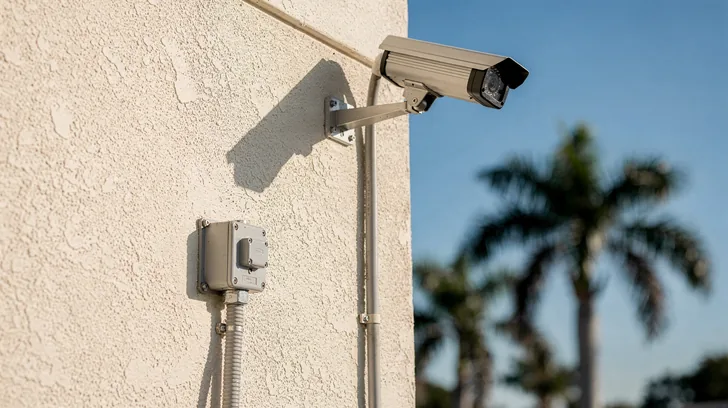
A dashboard can look completely normal while a hidden plugin runs on the server behind it. AI-generated illustration.
In one paragraph
Hidden WordPress malware is malicious code on a WordPress site that is built to stay out of the owner's view: a fake plugin that removes itself from the Plugins screen, a script that skips logged-in users, or an admin account hidden from the Users list. In one 2026 study, 19 of 20 fake plugin samples removed themselves from the WordPress plugin list (Imunify360, 2026).
Check your account
Is something hiding on your WordPress site? An 8-point self-check
Tick each check you have done. It counts what is left. It runs in your browser only, does not scan your site and sends nothing anywhere.
0 of 8 checks done
Based on the two cleanups in this article and the WordPress, WP-CLI and Google pages cited below, read October 23, 2026. General information, not a substitute for a professional incident review.
02 / 07
What did we find on the two sites?
We found the same fake caching plugin on two client sites, months apart: a professional services firm in July 2026 and a real estate brokerage in October 2026. On both, the plugin's files dated to November 29, 2025. It hid from the Plugins screen, skipped logged-in users and served visitors JavaScript fetched from a server the attacker controlled.
We are not naming either business. They are clients, and the lesson is about the attack, not about them. Both ran ordinary WordPress sites with ordinary plugins.
The first site, a professional services firm, was found on July 2, 2026, during our own review of the site. A plugin presented itself as a cache engine, with a made-up author name. It was not on the Plugins screen. It ran a script for every visitor who was not logged in and was not a bot, and that script asked the site's own server for more code, which the server fetched from the attacker's machine and handed back to the visitor's browser.
The second site, a real estate brokerage, was found on October 3, 2026, and nobody was looking for malware at the time. The site had gone down because a page builder plugin updated itself and its paid add-on, with a lapsed license, stopped working. While we were fixing that, the integrity check in the RankShield plugin on the site reported four critical findings. It was the same fake cache plugin, with the same file date and the same empty leftover folder beside it.
| Site 1: professional services firm | Site 2: real estate brokerage | |
|---|---|---|
| Plugin files dated | November 29, 2025 | November 29, 2025 |
| Found | July 2, 2026 | October 3, 2026 |
| Time on the site | About 7 months | About 10 months |
| How it was found | Our own review of the site | An integrity check, during an unrelated outage |
| Owner had noticed anything | No | No |
| How the attacker got in | Not established | Not established |
Two sites, one plant date, and both sites in the same hosting account family. That pattern points away from one unlucky website and toward something shared, such as a login or an account that reached both. We could not prove which. Server logs from November 2025 had long since rotated away, so the way in is honestly unknown on both sites.
04 / 07
Why did Google and the usual checks not raise the alarm?
Each common check looks somewhere the malware was not. The Plugins screen was filtered, the owner's logged-in view was clean, Google's crawler was most likely skipped, and file checks against WordPress.org cover core and free plugins but not every file. Google itself says its Security issues report lists a sample of affected pages, "not necessarily complete" (Google Search Console Help, 2026).
Search Console is still worth reading, and Google calls the Security issues report the source of truth for what Google has found. But it can only report what Google sees, and Google warns that hackers "might hide the spammy content using cloaking techniques to avoid detection by site owners" (Google Search Console Help, 2026). A script that skips bots is built to stay off that report.
Checksum tools have a blind spot of their own. WP-CLI's core command "verifies WordPress files against WordPress.org's checksums" (WP-CLI core checksums, 2026), and its plugin command does the same for plugin files (WP-CLI plugin checksums, 2026). Both are excellent at catching a changed core file. But a whole extra plugin folder is not a changed core file, and a paid plugin has no WordPress.org checksum to compare against.
Security plugins can be targeted too. Imunify360 found that one fake plugin family scans for security tools and deletes them from the server, using file operations that "bypass WordPress entirely" (Imunify360, 2026). A scanner that runs inside WordPress is inspecting the same system the attacker already controls.
None of this means those checks are useless. It means no single one of them is proof. On the second site, what caught the plugin was a check built for this exact pattern: it compares the full list of plugins on the server with the list WordPress is willing to show. When the two lists disagree, something is hiding.
05 / 07
How did we clean it up and prove it was gone?
We moved the plugin out of the public web folder rather than deleting it, so the evidence survived, then cleared every cache that could still serve the injected script. We then proved the result: core files matched WordPress.org, a full scan of plugin and theme code found no second backdoor, and every page in the sitemap was checked logged out.
Containment came first. On both sites the plugin folder was moved outside the public web folder, where it cannot run, and kept as evidence. Deleting it would have been faster, and it would also have destroyed the only record of what it did.
Caches came next, because a cache can keep serving malware after the source is gone. On the first site, 73 combined JavaScript files built by the host's caching system had picked up the injected code, and all of them were cleared with the rest of the cache.
Then we looked for a second way back in, because attackers rarely leave just one. On the first site, a deeper sweep found no other backdoor, web shell or persistence: no rogue scheduled tasks, no extra admin accounts, no altered server settings. On the second, all 1,315 WordPress core PHP files matched WordPress.org's checksums, and 13,104 plugin and theme PHP files were scanned with no real hits.
Finally, we checked the result the way a visitor would see it. On the second site, all 33 URLs in the sitemap were loaded logged out, without a cache-busting trick, and none served the injected code.
| Check | Result |
|---|---|
| Malicious plugin | Moved out of the web folder, kept as evidence (both sites) |
| Poisoned cache files | 73 combined JavaScript files cleared (site 1) |
| WordPress core | Matched WordPress.org checksums (both sites); 1,315 of 1,315 core PHP files (site 2) |
| Plugin and theme code | 13,104 PHP files scanned, no real hits (site 2) |
| Second backdoor | None found (both sites) |
| Pages a visitor sees | 33 of 33 sitemap URLs served no injected code, logged out (site 2) |
One honest limit remains. Because the way in was never established, cleaning the files does not close the door the attacker used. That is why the next steps matter as much as the cleanup.
06 / 07
How can you check your own WordPress site this week?
Compare the plugin folders on your server with your Plugins screen, check core and free plugins against WordPress.org, load your site logged out and read its source, and count admin accounts in the database. The self-check above walks through all eight steps. None of them needs special software, but a few need your host or developer.
Start with the check that caught this plugin. In your host's file manager, open wp-content/plugins and write down every folder. Then open the Plugins screen in WordPress. Every folder should have a matching row. Imunify360 puts it plainly: a plugin that exists in the filesystem but not in the admin panel is "a strong indicator of compromise" (Imunify360, 2026).
Next, check names. A folder called something like a cache engine, a performance helper or a session handler that you never installed deserves a closer look, especially if you already run a different caching plugin.
Then run the checksum commands, or ask your host to: wp core verify-checksums for WordPress itself and wp plugin verify-checksums --all for plugins from WordPress.org. Remember what they cannot cover: extra folders and paid plugins.
Then see your site as a stranger does. Log out, open a private window and load your home page and your contact page. View the page source and look for script tags pointing at domains you do not recognize. Because some malware only runs some of the time, one clean look is not proof, but a strange script is a clear answer.
Last, count your admins. Some fake plugins hide admin accounts from the Users screen, and one sample Imunify360 studied changes the database query so the Users screen "shows only the currently logged-in administrator" (Imunify360, 2026). Ask your host or developer to list administrator accounts straight from the database and compare.
If any of these checks turns something up, do not delete it on the spot. Take the site's files and database offline into a backup, then get help. If you want a second set of eyes on the site, start with our free SEO audit.
07 / 07
How do you stop it from coming back?
Close the likely doors and watch for the pattern. Turn on two-step login for every admin, change every password, remove plugins you do not use and keep the rest updated. Then add a check that compares what is on the server with what WordPress shows, because plugins carry 91% of new WordPress vulnerabilities (Patchstack, 2026).
Credentials come first. On the first site, our after-action review judged a stolen login the most likely way in, though it could not be proven, and WordPress's own hardening guide says "it's a good idea to enable two-step authentication as an additional security measure" (WordPress hardening guide, 2026). Turn it on for every admin, and change the passwords for WordPress, the hosting account, the database and any file manager or SFTP login. One weak login anywhere in that chain is enough.
Plugins come second. Patchstack counted 11,334 new vulnerabilities in the WordPress ecosystem in 2025, with 91% in plugins and 9% in themes, and found that heavily targeted bugs were first exploited after a weighted median of 5 hours (Patchstack, 2026). The same WordPress guide says "if you are not using a specific plugin, delete it from the system" (WordPress hardening guide, 2026). Every plugin you remove is one less thing to patch on time.
Detection comes third, and it has to look at the server rather than the dashboard. RankShield, our founder's security company, added an integrity check to its WordPress plugin after the first of these two cleanups. It compares the plugins on the server with the plugins WordPress shows, looks for files that should not run from the uploads folder and scans for remote-controlled script injection. By default it reports and changes nothing; enforcement is a switch the owner turns on. It is the check that found the plugin on the second site. Details are on the RankShield WordPress plugin page. It is an option we offer, never a condition of working with us.
That second find is the reason we care about watching many sites at once. A pattern learned on one site, a fake plugin with a particular disguise and a particular way of hiding, became a check that caught the same plugin on another site three months later. One site's bad week turned into the next site's early warning.
For some sites the honest answer is to remove the attack surface instead. A business site that does not need WordPress can be rebuilt as a static site on Cloudflare web hosting, where there are no plugins to fake and no admin login to steal. Our guide to what moving off WordPress actually changes walks through when that trade is worth it.
Watch it work
Turn on what makes AI recommend you.
AI recommends the businesses it can read, trust and quote. Flip on the four signals we engineer, and watch your visibility climb and the answer rewrite itself.
THE FOUR SIGNALS WE ENGINEER
Illustrative · the four signals are the real system we build
Questions
This article, answered.
Jamie Kloncz · SEO Elite Agency, Naples
WordPress builds the Plugins screen from a list that any plugin is allowed to filter, through a hook called all_plugins, which "filters the full array of plugins to list in the Plugins list table" (WordPress all_plugins reference, 2026). A malicious plugin uses that filter to remove its own entry, so the screen lists every plugin except the hidden one. Wordfence published a 2025 sample doing exactly that (Wordfence, 2025). The plugin is still on the server, though. Its folder sits in wp-content/plugins, so comparing that folder with the Plugins screen is the simplest way to catch it.
Jamie Kloncz · SEO Elite Agency, Naples
Yes. The two sites in this article ran a hidden plugin for about 7 and about 10 months before it was found, and neither owner had noticed anything. The plugin hid from the Plugins screen, skipped logged-in users so the owner always saw a clean page, and skipped bots. Google warns that hackers "might hide the spammy content using cloaking techniques to avoid detection by site owners" (Google Search Console Help, 2026). A site that looks fine to you while you are logged in has not been checked. Look at it logged out, and compare server files with what WordPress shows.
Jamie Kloncz · SEO Elite Agency, Naples
A fake plugin is malicious code packaged to look like a normal WordPress plugin, with a believable name, description and author. Imunify360 studied 20 common samples and found they "disguise themselves as performance tools, WooCommerce extensions, security helpers, and caching engines" (Imunify360, 2026). Some create hidden admin accounts, some inject scripts for visitors and some delete security plugins. The one in this article called itself a cache engine and listed an author that does not exist. If you find a plugin folder you never installed, especially one with a performance or cache name, treat it as suspect until it is explained.
Jamie Kloncz · SEO Elite Agency, Naples
No. The report is worth checking, and Google calls it the source of truth for what Google has found. But Google also says the list of affected pages is "not necessarily complete" and is a sample (Google Search Console Help, 2026). Malware that skips bots, like the plugin in this article, is built so that Google's crawler may never be served the bad code. Treat an empty report as one good sign, not as proof. Pair it with the server-side checks in the self-check: plugin folders against the Plugins screen, checksums, a logged-out look at the page source and an admin count from the database.
Jamie Kloncz · SEO Elite Agency, Naples
Not on the spot. Move it out of the public web folder, or have your host do it, so it cannot run but still exists as evidence. Deleting it straight away removes the only record of what it did and how it was configured, which you need to look for a second backdoor and to understand how the attacker got in. Then clear every cache, because a cache can keep serving the injected script after the source is gone, change every password and turn on two-step login. If you are not comfortable doing this yourself, get professional help before you change anything else.
Jamie Kloncz · SEO Elite Agency, Naples
Sometimes, and not always. A scanner running inside WordPress is inspecting a system the attacker may already control, and Imunify360 found one fake plugin family that scans for security tools and deletes them from the server (Imunify360, 2026). What caught the plugin on the second site in this article was a check designed for this exact pattern, comparing the plugins on the server with the plugins WordPress shows. Use a security plugin, keep two-step login on, keep plugins few and updated, and add at least one check that looks at the server directly rather than through the dashboard.
Sources
- 1Imunify360: We Analyzed the 20 Most Common Fake WordPress Plugins. Here's What They Actually Do, Sergey Brazhnik, May 5, 2026 - 19 of 20 samples remove themselves from the plugin list; disguises as performance tools and caching engines; scripts for visitors not logged in; security plugin deletion
- 2Wordfence: Interesting WordPress Malware Disguised as Legitimate Anti-Malware Plugin, April 28, 2025 - hides from the plugins list through the all_plugins filter; injects JavaScript into the theme header
- 3Google Search Central: Spam policies for Google web search, last updated August 28, 2026 - hacked content: code injection, page injection, content injection, redirects
- 4Google Search Console Help: Security issues report - the list of affected pages is not necessarily complete; hackers may cloak content from site owners
- 5WordPress all_plugins reference: all_plugins hook, WordPress Developer Resources - filters the full array of plugins to list in the Plugins list table
- 6WP-CLI core checksums: wp core verify-checksums - verifies WordPress files against WordPress.org checksums
- 7WP-CLI plugin checksums: wp plugin verify-checksums - verifies plugin files against WordPress.org checksums
- 8WordPress hardening guide: Hardening WordPress, WordPress Advanced Administration Handbook - two-step authentication; delete plugins you do not use
- 9Patchstack: State of WordPress Security in 2026, updated February 25, 2026 - 11,334 new vulnerabilities in 2025; 91% in plugins, 9% in themes; weighted median 5 hours to first exploit

Written by
SEO Elite Agency, Naples FL. Published .
Check this page has not changed
Every article is hashed when the site is built. This recomputes the hash of its text in your browser and compares it with the published record.
Related services