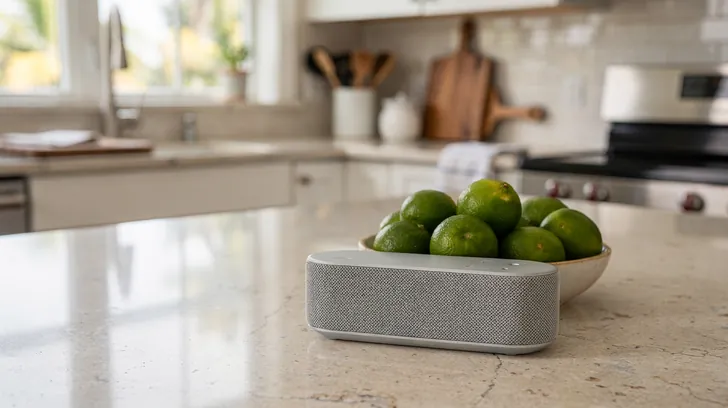
Checklist for Accessible Voice Assistant Interfaces
Voice assistants are becoming a key part of daily life, but not everyone can use them effectively. This guide outlines how to design voice interfaces that work for people with different needs. Here’s what you need to know:
01 / 06
Guidelines and Standards for Accessible Voice Interfaces
Creating inclusive voice interfaces isn't just about meeting legal requirements - it's about designing experiences that work for everyone.
Understanding WCAG and Section 508 Compliance
The Web Content Accessibility Guidelines (WCAG) 2.1 are the go-to international standard for ensuring digital accessibility, and they apply to voice technology too. These guidelines focus on making interactions perceivable, operable, understandable, and robust.
For voice assistants, "perceivable" means delivering information in audio formats, supported by visual cues or transcripts whenever possible. "Operable" ensures voice interfaces can handle multiple input methods - like touch or keyboard - and give users enough time to respond to prompts.
In the U.S., Section 508 compliance is a legal requirement for federal agencies and organizations receiving federal funding. It emphasizes accessibility for people with disabilities, mandating compatibility with tools like screen readers, keyboard navigation, and clear audio outputs. For voice interfaces, this means users need options to adjust speech rate, volume, and other audio settings to suit their needs.
By combining these standards, we can create voice interfaces that are not only compliant but also practical and inclusive.
Key Accessibility Features to Prioritize
To make voice interfaces more accessible, focus on these essential features:
- Flexible speech recognition: Your system should handle diverse speech patterns, accents, and speech impediments. It should also recognize slower speech, repeated words, and non-standard pronunciations, ensuring clear communication for everyone.
- Alternative input methods: Not everyone can use voice commands. Include options like keyboard shortcuts, touch controls, gestures, and switch-based inputs to ensure all users can access the same functionality.
- Customizable audio settings: Allow users to tweak settings like speech rate, volume, pitch, and timeout periods. Features like adjustable wake word sensitivity and repeatable prompts can make interactions smoother and more user-friendly.
- Clear error handling: Instead of vague responses like "I didn't understand", guide users with helpful suggestions. For example, offer tips like "Try speaking more slowly" or provide an alternative input option, such as a help button.
- Visual and haptic feedback: Support users with hearing impairments or those in noisy environments by including on-screen text that mirrors spoken responses, visual indicators for system states, and vibration feedback on mobile devices.
- Context awareness: Simplify interactions for users with memory or processing challenges. The system should remember recent commands, suggest relevant options, and streamline complex tasks into easy steps.
- Multi-modal confirmation: For important actions like purchases or deletions, provide confirmation options through voice, visual displays, or physical controls. This ensures users can confidently complete tasks in the way that works best for them.
02 / 06
Designing for Different User Needs
Voice assistants cater to a wide range of users, each with unique abilities, preferences, and circumstances. To truly serve this diverse audience, the design must adapt to individual needs. The following features enable users to shape their voice assistant experience to fit their lives.
Customizable Voice Settings
Creating an inclusive experience begins with adaptable speech recognition. Voice assistants should be able to accommodate accents, speech impairments, and age-related differences. Features like accent adaptation settings can learn and adjust to each user's speech patterns over time, handling stutters, repeated words, or unique pronunciations without forcing users to alter their natural way of speaking.
Custom wake words allow for further personalization. Instead of standard options, users can set their own wake words, which can be especially helpful for those with speech conditions or those whose native language makes certain sounds harder to pronounce.
Multilingual support goes beyond simply switching between languages. Many users, especially in multilingual households, naturally mix languages in conversation. The assistant should be able to handle commands like "Play música" or "Set timer for cinco minutes" seamlessly, reflecting how people actually communicate in diverse communities across the U.S.
Voice response customization gives users control over how the assistant speaks. Options to adjust speech rate, pitch, and verbosity allow users to tailor responses to their hearing needs or personal preferences, whether they prefer quick confirmations or detailed explanations.
Alternative Interaction Methods
Sometimes, voice commands aren’t the best option. Offering varied input methods ensures the assistant remains accessible in all situations. For example, touch controls can replicate voice functions, enabling users to tap, swipe, or type their requests. This is especially useful for those with speech difficulties, people in quiet environments like libraries, or anyone who simply prefers visual interaction.
For users with limited mobility, gesture and switch-based inputs provide essential alternatives. Hand movements, head nods, eye tracking, or external switches controlled by any manageable body movement can enable navigation through the assistant’s features when voice or touch aren’t practical.
Keyboard and text input options recognize that some users communicate more effectively by typing. This includes individuals who are deaf or hard of hearing, those with speech disorders, or users in situations where speaking isn’t appropriate. Text-to-speech output can read responses aloud, while a visual display shows the conversation history for added clarity.
Multi-modal confirmation combines voice and physical controls to verify important actions. For example, making a purchase or deleting files might require both a spoken confirmation and a button press. This dual-step process prevents accidental commands while giving users multiple ways to complete tasks based on their preferences and abilities.
The best voice assistants treat these alternative methods as integral features, not just backup options. Users should be able to start a task with voice, switch to touch midway, and finish with gestures seamlessly. This level of flexibility ensures that temporary challenges - like a sore throat or an injured hand - don’t disrupt access to the technology people depend on every day.
03 / 06
Testing and Optimizing for Accessibility
Creating an accessible voice interface isn’t a one-and-done task - it requires ongoing testing and refinement to ensure it works well for everyone.
The key? Regularly gathering feedback from users and making updates to address challenges as they arise.
User Testing with Accessibility Focus Groups
Involve people with a variety of needs in your testing process. Accessibility focus groups can help uncover practical challenges users face, offering insights that lead to meaningful improvements.
Regular Updates and Feedback Loops
Set up a consistent feedback process between users and developers. This helps you catch issues early and make timely updates. By keeping the improvement cycle active, your voice assistant can continue to evolve and meet the needs of all users effectively.
For more insights on accessibility strategies, check out SEO Elite Agency.
04 / 06
Clear Communication and Support Features
Creating a user-friendly voice assistant experience isn’t just about design and testing - it’s also about ensuring clear communication and dependable support. Without visual cues, users rely entirely on audio clarity and accessible help options to navigate their interactions.
Clear Verbal Prompts and Feedback
Clarity is key when it comes to verbal communication. Using simple, everyday language and concise sentences makes interactions smoother. For instance, instead of saying, "Please say what you need", a more direct and user-friendly approach would be, "What would you like me to do?"
Timing also plays a big role. Voice assistants should acknowledge commands immediately, even if processing takes a moment. A quick response like, "Got it, let me check that for you", reassures users that their request has been received and is being handled.
Error and confirmation messages need to be equally straightforward. If something goes wrong, offer a clear explanation and actionable next steps, such as, "I couldn't find that. Try rephrasing your request or say 'help' for options."
Repeating important information is another helpful feature. For users with memory or hearing challenges, the ability to repeat instructions or results can turn a frustrating experience into a successful one.
Additionally, adjustable speech rates give users more control, allowing them to process information at a pace that suits their hearing or cognitive needs.
Accessible Documentation and Human Support
Support doesn’t end with the voice assistant itself. Comprehensive help resources in various formats can make a big difference. Audio instructions, large-print guides, and screen-reader-compatible digital text ensure that users can access assistance in the way that works best for them.
Support materials should focus on common tasks, breaking them down into step-by-step instructions written in plain, straightforward language. Avoid technical jargon, or explain it clearly if it’s unavoidable. Each step should address a single action to prevent users from feeling overwhelmed.
When voice technology falls short, human support becomes critical. Users should have easy access to a real person who understands accessibility needs. Support should be available across multiple channels - whether by phone, chat, or email - so users can choose the method they’re most comfortable with.
It’s essential that support teams receive specialized training on accessibility. They should understand how different disabilities can affect the use of voice assistants and be prepared to offer patient, clear assistance. For complex issues, quick escalation paths can prevent unnecessary frustration.
Support materials should also clearly outline available languages and include translated versions to address language barriers.
Finally, regular testing of support systems ensures they stay effective and accessible, even as technology evolves. This proactive approach helps identify and fix any gaps before they become issues for users.
05 / 06
Conclusion: Ensuring Accessibility in Voice Technology
Creating voice assistant interfaces that everyone can use isn't just a nice-to-have - it's essential. When accessibility is baked into the design process from the start, these tools become more intuitive and practical for all users. The checklist outlined in this article provides a straightforward guide for building voice interfaces that put user needs first. Features like customizable voice settings, alternative interaction methods, and clear verbal prompts are key to making this happen.
But it doesn't stop there. Regular user testing is critical to ensure these designs truly work in real-world scenarios. Feedback from a diverse group of users can reveal issues that automated tests might miss, leading to ongoing improvements.
Beyond being the right thing to do ethically and legally, accessible voice technology has practical benefits. As voice assistants become more common in homes, workplaces, and public areas, making them accessible expands their reach and creates better, more inclusive products.
Accessibility isn’t something to tack on later - it should be part of the foundation. The future of voice technology depends on meeting the full range of communication needs. For expert advice on crafting accessible voice solutions, visit SEO Elite Agency at https://seoeliteagency.com and make sure no user is left behind.
Watch it work
Turn on what makes AI recommend you.
AI recommends the businesses it can read, trust and quote. Flip on the four signals we engineer, and watch your visibility climb and the answer rewrite itself.
THE FOUR SIGNALS WE ENGINEER
Illustrative · the four signals are the real system we build
Questions
This article, answered.
Jamie Kloncz · SEO Elite Agency, Naples
Voice recognition technology is breaking barriers by improving accessibility for people with diverse speech patterns, including those shaped by disabilities or medical conditions like Parkinson's disease and cerebral palsy. By training these systems with a variety of speech data, the likelihood of errors decreases, making interactions smoother and more inclusive for individuals with unique ways of speaking.
Jamie Kloncz · SEO Elite Agency, Naples
Alternative input methods for voice assistants - like keyboards, eye-tracking systems, switch devices, and sip-and-puff systems - play a crucial role for individuals with disabilities or limited mobility. These tools ensure that users can still interact with voice assistants, even when voice commands aren’t an option.
Jamie Kloncz · SEO Elite Agency, Naples
Regular user testing plays a key role in making voice assistant interfaces accessible to everyone, including individuals with disabilities. By collecting feedback from actual users, developers can spot usability issues that might not be obvious during the design phase. This feedback helps fine-tune the interface so it works better for a wide range of needs.
Sources

Written by
SEO Elite Agency, Naples FL. Published .
Check this page has not changed
Every article is hashed when the site is built. This recomputes the hash of its text in your browser and compares it with the published record.
Related services